
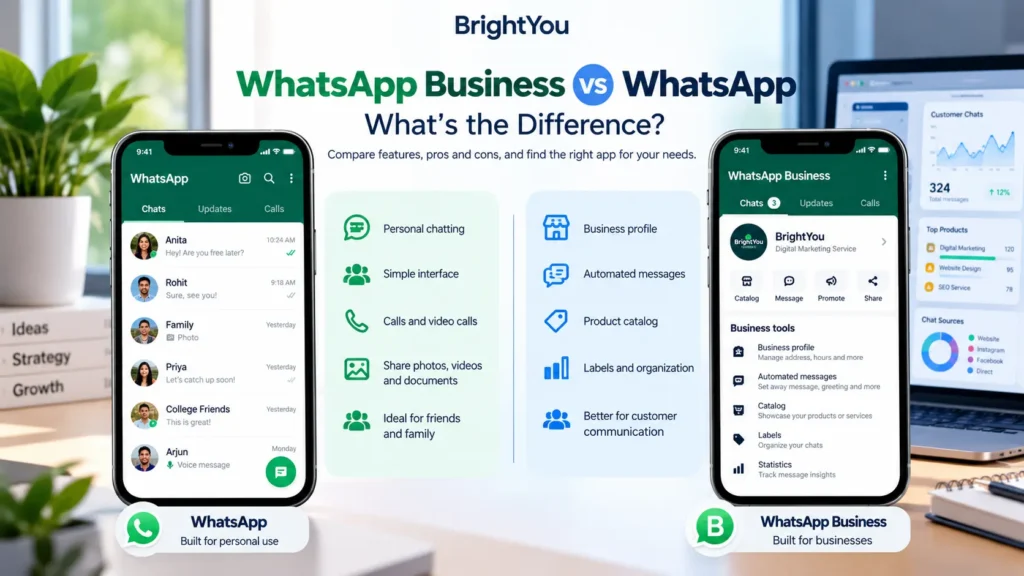
WhatsApp Business vs WhatsApp is a common question for people trying to decide which app is right for them. Both apps let you send messages, make calls, share photos and documents, and stay in touch with people.
The difference becomes noticeable when you start using WhatsApp to communicate with customers.
The difference becomes noticeable when you start using WhatsApp to talk to customers.
Regular WhatsApp is built mainly around personal conversations. WhatsApp Business adds tools that make it easier for a business to present itself, answer common questions, and organize customer chats.
So, if you’re wondering which one you actually need, let’s look at what separates the two.
WhatsApp Business vs WhatsApp: Quick Comparison
| Feature | WhatsApp Business | |
|---|---|---|
| Personal messaging | Yes | Yes |
| Voice and video calls | Yes | Yes |
| Business profile | No | Yes |
| Product catalog | No | Yes |
| Quick replies | No | Yes |
| Greeting messages | No | Yes |
| Away messages | No | Yes |
| Chat labels | No | Yes |
| Business-focused tools | Limited | Yes |
The apps share many of the same basic communication features. The real difference is the set of tools available for business and customer communication.
What Is WhatsApp?
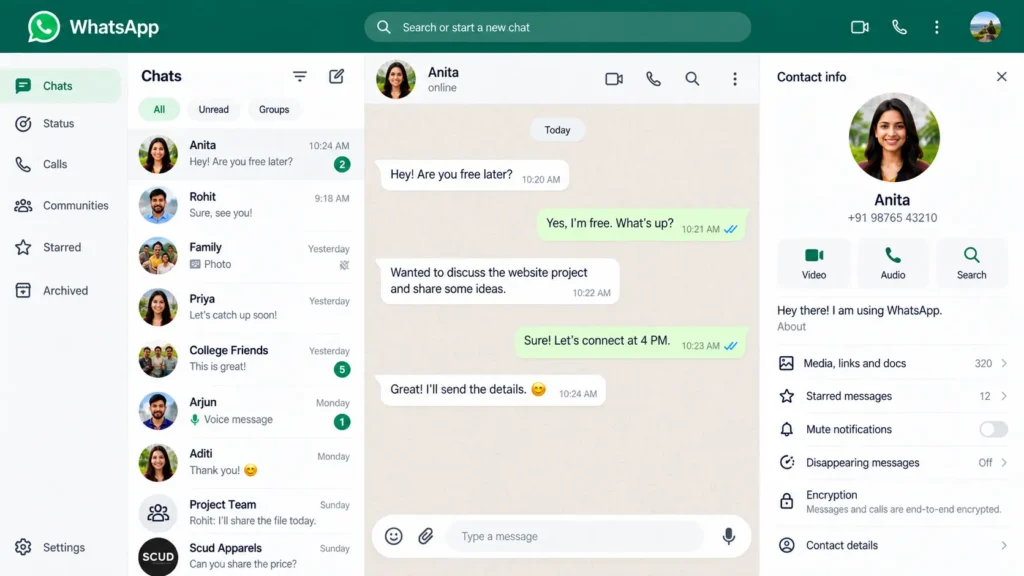
Most people already know regular WhatsApp. It’s the app you might use to message your family, send a photo to a friend, join a group, or make a quick video call.
It supports everyday communication such as:
- Text and voice messages
- Voice and video calls
- Group chats
- Photos and videos
- Documents
- Status updates
If you’re using WhatsApp mainly for personal conversations, there isn’t much reason to move to the Business app just for the sake of it.
You can find the latest information about WhatsApp on the official WhatsApp website.
What Is WhatsApp Business?
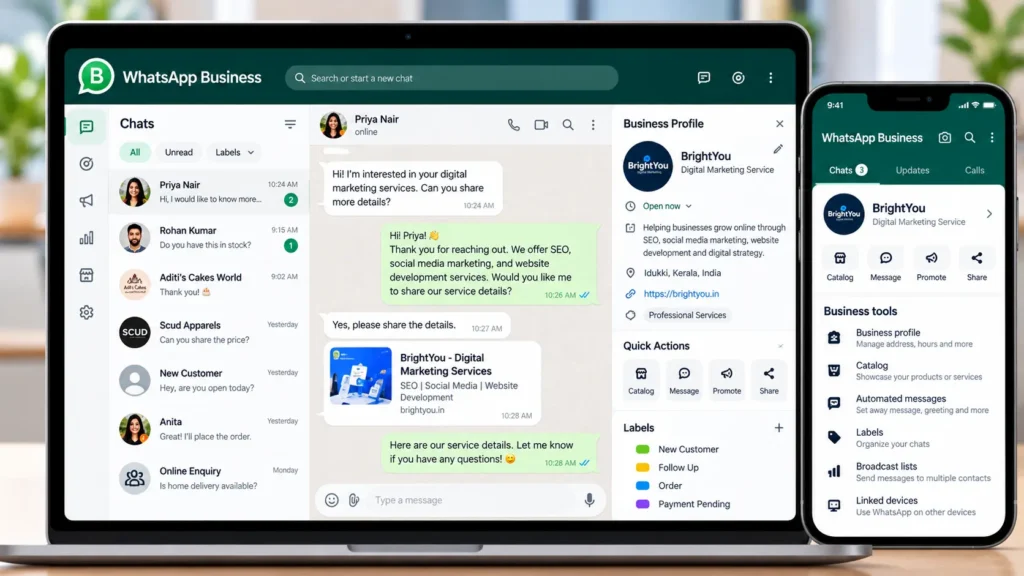
WhatsApp Business is aimed at people and businesses that use WhatsApp as a way to communicate with customers.
Think about a small business that gets messages throughout the day:
“What’s the price?”
“Is this available?”
“Where are you located?”
“Are you open today?”
“Can I place an order?”
Answering those questions isn’t difficult when there are only a few customers. But once the number of conversations grows, managing everything manually can become time-consuming.
That’s where WhatsApp Business features such as business profiles, quick replies, greeting messages, away messages, labels, and catalogs become useful.
More information is available on the official WhatsApp Business website.
What Is the Difference Between WhatsApp and WhatsApp Business?
The simplest way to understand the difference is this:
WhatsApp is primarily a personal messaging app. WhatsApp Business is designed to support customer conversations.
The two apps overlap in many areas, but the Business version gives you additional tools for handling business enquiries.
1. Business Profile
A WhatsApp Business profile can include information that customers often want before they contact you.
You can add details such as:
- Business name
- Category
- Description
- Location
- Opening hours
- Website
For a local business, this is particularly useful because customers can get basic information without having to ask for it every time.
2. Quick Replies
Some customer questions are repeated dozens of times.
If you’re running a bakery, for example, you might regularly answer questions about prices, delivery, working hours, or how to place an order.
Quick replies allow you to prepare commonly used responses instead of typing the same answer from scratch each time.
It’s a small feature, but it can save a surprising amount of time when your inbox gets busy.
3. Greeting and Away Messages
Not every customer will message during your working hours.
A greeting message can welcome someone when they start a conversation, while an away message can let them know that you’re currently unavailable.
For a business that doesn’t have someone responding to WhatsApp throughout the day, these messages help set expectations.
4. Chat Labels
Once you’re dealing with several customers at the same time, finding the right conversation can become difficult.
Labels can help you organize chats according to where they are in the customer journey.
For example:
- New enquiry
- New customer
- Order confirmed
- Payment pending
- Order shipped
- Follow-up
The exact system you use depends on your business, but the basic idea is simple: keep your customer conversations organized instead of letting everything sit in one long chat list.
5. Product Catalog
If you sell products, a catalog gives customers a way to browse what you offer through WhatsApp.
Depending on the available features for your account and market, product information can include details such as the product name, image, description, and price.
For a small online seller, this can be more convenient than sending individual product photos every time someone asks what is available.
Is WhatsApp Business Free or Paid?
This is one area where it’s easy to get confused.
The WhatsApp Business app provides core business tools at no charge, but WhatsApp also has separate business products and services that can involve fees.
For example, the WhatsApp Business Platform is a different solution aimed at businesses with more advanced communication needs. Pricing can depend on the service, account, country, and applicable messaging charges.
So saying “WhatsApp Business is completely paid now” isn’t an accurate way to describe the situation.
If you’re planning to use WhatsApp for business, it’s worth checking the latest information and pricing for your particular account and region on the official WhatsApp Business website.
Which One Should You Use?
There’s no need to overthink this.
If you’re using WhatsApp to talk to friends, family, classmates, or colleagues, regular WhatsApp is likely the more appropriate choice.
WhatsApp Business makes more sense when customer conversations are part of your day-to-day work.
You might consider it if you:
- Run a small business
- Sell products or services
- Receive regular customer enquiries
- Take orders through WhatsApp
- Need to send the same information repeatedly
- Want to display products or services
- Need a simple way to organize customer chats
A freelance designer, home baker, salon owner, tutor, photographer, online seller, or local shop could all have different reasons for using WhatsApp Business.
The important thing isn’t the size of the business. It’s how you use WhatsApp.
Can You Use WhatsApp and WhatsApp Business Together?
Yes, you can use both apps on the same phone when you have separate phone numbers for the two accounts.
For example:
Personal number → WhatsApp
Business number → WhatsApp Business
This setup can be useful if you don’t want customer messages mixed in with personal conversations.
If you’re moving an existing account or changing how you use WhatsApp, check the latest instructions in the WhatsApp Help Center.
WhatsApp vs WhatsApp Business: Pros and Cons
Pros
- Simple to use
- Well suited to personal communication
- Voice and video calls
- Group chats
- Media and document sharing
Cons
- Fewer business-specific tools
- No dedicated business profile
- No product catalog
- Fewer options for organizing customer conversations
WhatsApp Business
Pros
- Business profile
- Quick replies
- Greeting and away messages
- Chat labels
- Product catalog
- Customer-focused communication tools
Cons
- Some features may not be necessary for personal users
- Features and availability can vary by account, country, and current WhatsApp offerings
- Businesses with a large volume of customer conversations may need a more advanced customer-support system
Frequently Asked Questions
What is the difference between WhatsApp and WhatsApp Business?
WhatsApp is mainly designed for personal communication, while WhatsApp Business adds tools for businesses and customer conversations.
Is WhatsApp Business free?
The WhatsApp Business app provides core business tools at no charge. However, separate business products and messaging services can involve fees depending on the service and applicable pricing.
Can I use WhatsApp and WhatsApp Business on the same phone?
Yes. You can use both apps on the same phone with separate phone numbers for the accounts.
Does WhatsApp Business have the same features as WhatsApp?
They share many basic features, including messaging and calls. WhatsApp Business also includes business-focused tools such as business profiles, quick replies, labels, greeting messages, away messages, and catalogs.
Should I switch from WhatsApp to WhatsApp Business?
If you mainly use WhatsApp for personal conversations, there may be little reason to switch. If you regularly communicate with customers or manage orders and enquiries through WhatsApp, the additional Business features may be useful.
Final Thoughts
The difference between WhatsApp and WhatsApp Business isn’t really about one app replacing the other.
It’s about what you need from WhatsApp.
For personal conversations, regular WhatsApp does the job. For customer communication, WhatsApp Business gives you additional tools to present your business and manage conversations more efficiently.
And if you’ve heard that WhatsApp Business is now completely paid, that’s worth checking carefully. The standard Business app and WhatsApp’s separate business products are not the same thing, and pricing can vary depending on the service.
Choose the app based on how you actually communicate—not simply because one has “Business” in its name.
For more practical guides on SEO, digital marketing, websites, social media, and online business, explore more from BrightYou.