
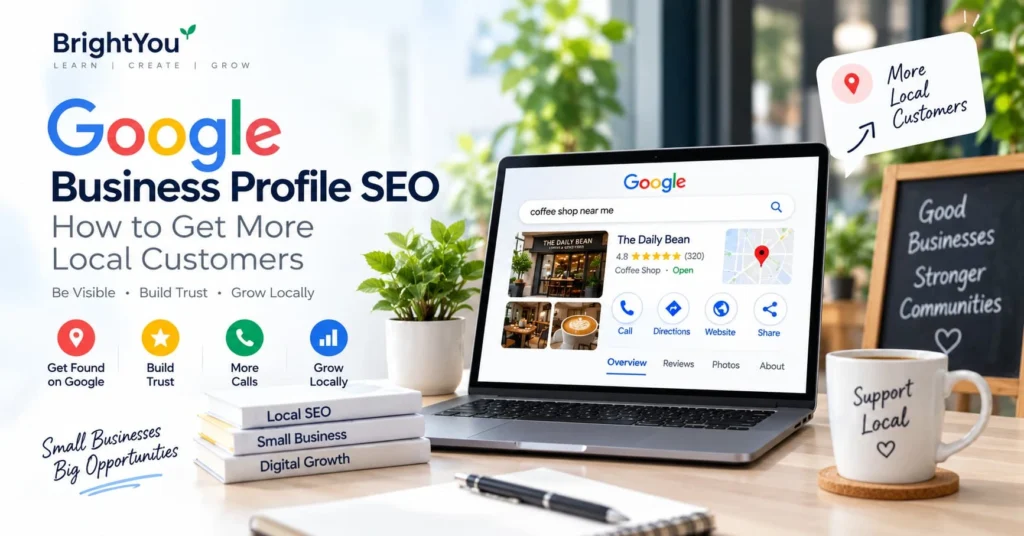
Google Business Profile SEO can help local businesses become easier to find when people search for products or services nearby.
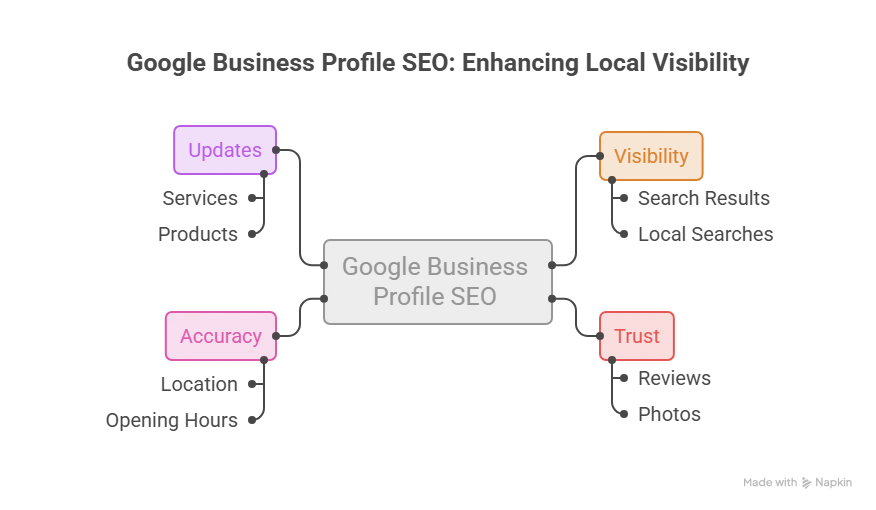
Think about the last time you wanted to find a restaurant, salon, doctor, bakery, or shop. You probably searched on Google, checked a few options, looked at the reviews, and maybe checked the location before deciding where to go.
This is how many local customers discover businesses today.
For a small business, being visible when someone nearby is already searching for what you offer can make a real difference. One of the simplest places to start is your Google Business Profile.
Your profile can show customers your location, opening hours, photos, reviews, services, website, and contact details before they even visit your website.
But simply creating a profile isn’t enough. You need to make sure the information is accurate, keep it updated, and give people a reason to trust your business.
So, how can you make your Google Business Profile more useful for local search?
Let’s look at the practical steps.
What Is Google Business Profile?
Google Business Profile, commonly called GBP, is a free Google tool that allows businesses to manage how their business information appears across Google Search and Google Maps.
Depending on the type of business, your profile can include:
- Business name
- Business category
- Address or service area
- Phone number
- Website
- Opening hours
- Photos and videos
- Products or services
- Customer reviews
For example, imagine someone searches for “coffee shop near me.”
Google may show local businesses along with information such as their location, reviews, opening hours, photos, and website. The person can then compare their options and decide what to do next.
That’s one reason a complete and accurate profile matters.
You can create or manage your profile through Google Business Profile.
Why Does Google Business Profile SEO Matter?
Local SEO is about helping people find your business when they search for something in a specific location.
Let’s say you run a small bakery in Kochi. Someone searches for “cake shop in Kochi” because they want to buy a cake.
That person isn’t just browsing randomly. They already have a need.
A well-maintained Google Business Profile can help your business appear in Google’s local results and give that potential customer useful information about your business.
They may be able to:
- Find your location
- Call your business
- Visit your website
- Check your opening hours
- Read customer reviews
- View photos
- Get directions
However, there isn’t a shortcut that guarantees the top position on Google Maps.
Google says local results are mainly based on relevance, distance, and prominence. So rather than looking for tricks, focus on giving Google and your customers accurate, useful information.
1. Complete Your Business Information
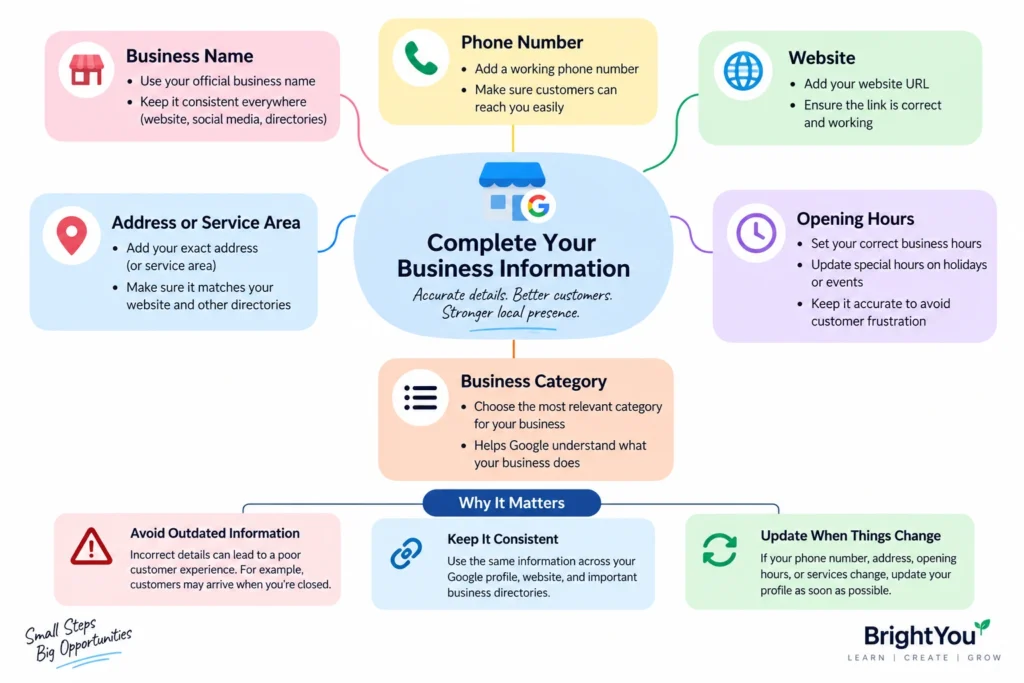
Let’s start with the basics.
Make sure your business information is complete and accurate.
Check your:
- Business name
- Phone number
- Website
- Address or service area
- Opening hours
- Business category
This might sound simple, but outdated information can create a poor customer experience.
For example, if your actual business hours are 9 AM to 7 PM but your Google profile still says you’re open until 9 PM, someone could arrive when you’re already closed.
Your business information should also be consistent wherever customers see it online, especially on your website and important business directories.
If something changes, update your profile.
2. Choose the Right Business Category
Your business category helps Google understand what your business does.
Choose the category that best represents your main business. If additional relevant categories are available, you can use them when they genuinely apply.
Don’t choose unrelated categories simply because you think they might help you appear for more searches.
For example, if you own a bakery, choose a category that accurately represents your bakery rather than adding unrelated categories.
Think about it from the customer’s point of view:
If someone sees your category, will they immediately understand what your business offers?
If the answer is yes, you’re on the right track.
3. Write a Clear Business Description
Your business description is another opportunity to explain what you do.
Instead of trying to fill it with keywords, write it for a real person.
Explain:
- What your business offers
- Who you serve
- Where you operate
- What products or services you provide
For example, a local digital marketing agency could explain the types of businesses it works with and the services it provides.
You don’t need to write something complicated.
A clear description is more useful than a paragraph that repeats the same keyword again and again.
4. Add Real Photos and Videos
Before visiting a business, customers often want to know what it looks like.
This is especially true for restaurants, salons, hotels, shops, clinics, and other businesses where the physical experience matters.
Add clear photos of your actual business, such as:
- Storefront
- Interior
- Products
- Services
- Team
- Completed work
- Important facilities
For example, a restaurant could show its dining area, popular dishes, entrance, and atmosphere.
A salon could show its interior and examples of its work.
You don’t need expensive equipment to create useful photos. Good lighting, a clean setting, and genuine images can go a long way.
Keep adding relevant visual content when your business changes or you have something new to show.
5. Encourage Genuine Customer Reviews
Reviews are often one of the first things people look at when comparing local businesses.
If someone has never used your business before, hearing from previous customers can help them understand what to expect.
After providing a product or service, you can politely ask genuine customers to leave an honest review.
The important word here is genuine.
Don’t buy reviews or create fake ones just to increase your rating.
It’s also a good idea to respond to reviews.
For a positive review, a simple thank-you can be enough.
If someone leaves a complaint, respond calmly and professionally. If there is a genuine problem, try to address it.
You can read Google’s official guidance about managing and responding to reviews.
6. Add Your Products and Services
If your business offers different products or services, make them easy for potential customers to understand.
Use the relevant sections of your profile to add them where available.
For example, a digital marketing business might list:
- SEO
- Google Ads
- Social media marketing
- Website development
- Content marketing
A salon might list haircuts, hair colouring, facials, and other services.
Keep your descriptions useful and easy to understand. Customers should be able to get a basic idea of what you offer without having to search somewhere else.
7. Keep Your Opening Hours Updated
Opening hours are easy to overlook, but they’re important.
Imagine a customer finds your business on Google, sees that you’re open, and travels to your location—only to discover that you’ve already closed.
That creates frustration that could easily have been avoided.
Update your regular opening hours whenever they change. Also pay attention to special hours around holidays or other occasions when your schedule is different.
This is particularly important for restaurants, shops, clinics, and businesses that depend on customers visiting at specific times.
8. Share Useful Updates
Google Business Profile can also give eligible businesses ways to share updates with customers.
You might use updates to announce:
- New products
- New services
- Special offers
- Events
- Seasonal products
- Important business announcements
But don’t feel like you have to post something every day.
The purpose isn’t to make your profile look busy. Share something when you actually have something useful to say.
For example, a bakery could announce a new festive cake collection, while a local clothing store could introduce a new collection.
Keep it simple and relevant.
9. Connect Your Google Business Profile With Your Website
Your Google Business Profile and website shouldn’t work separately.
They can support each other.
Your profile gives people quick information about your business, while your website can provide more detailed information about your services, products, expertise, and business.
For example, someone might discover your business through Google Maps and then click your website to learn more about your services.
Make sure your website clearly communicates:
- What your business does
- Where you operate
- How customers can contact you
- What services you provide
- Other useful information customers may need
You can also use Google Search Console to understand how your website performs in Google Search.
If you’re working on your wider SEO strategy, you may also find our guide on How to Create Content Clusters for Better SEO Rankings useful.
How Does Google Decide Local Rankings?
One of the most common questions business owners ask is:
“How do I get my business to the top of Google Maps?”
There isn’t one simple answer.
According to Google, local search results are mainly based on relevance, distance, and prominence.
Relevance is about how well a business matches what someone is searching for.
Distance considers how close the business is to the searcher’s location or the location included in the search.
Prominence relates to how well-known a business is and information Google has about it.
This means local results can vary depending on the search and location.
Instead of chasing a guaranteed ranking, focus on the things you can control: accurate information, relevant categories, useful content, genuine reviews, quality photos, and a helpful website.
For a broader look at how search is changing, you can also read our AI Search Optimization guide.
Common Google Business Profile Mistakes to Avoid
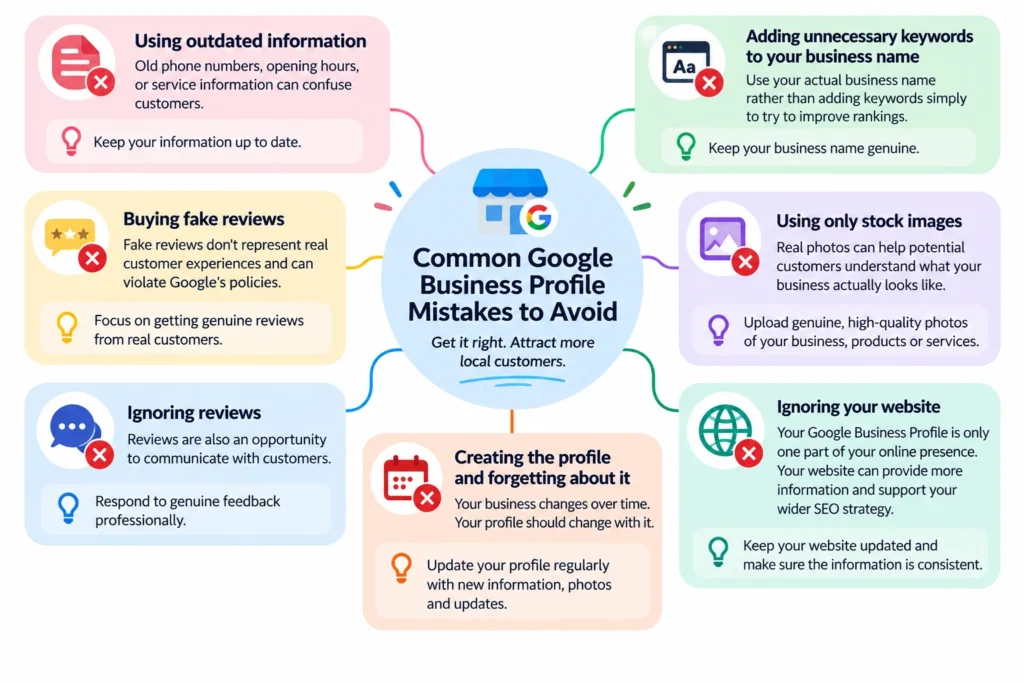
Even after setting up a profile, businesses can make a few common mistakes.
Using outdated information
Old phone numbers, opening hours, or service information can confuse customers.
Adding unnecessary keywords to your business name
Use your actual business name rather than adding keywords simply to try to improve rankings.
Buying fake reviews
Fake reviews don’t represent real customer experiences and can violate Google’s policies.
Using only stock images
Real photos can help potential customers understand what your business actually looks like.
Ignoring reviews
Reviews are also an opportunity to communicate with customers. Respond to genuine feedback professionally.
Creating the profile and forgetting about it
Your business changes over time. Your profile should change with it.
Ignoring your website
Your Google Business Profile is only one part of your online presence. Your website can provide more information and support your wider SEO strategy.
How Can You Measure Your Local SEO Efforts?
SEO isn’t only about rankings.
A more useful question is:
“What happens after people find my business?”
Depending on the information available to your business, you can pay attention to things such as:
- Website clicks
- Phone calls
- Direction requests
- Website traffic
- Customer reviews
- Enquiries
- Leads
- Sales
For example, if more people are discovering your business through local search and then calling or visiting your website, that’s a useful sign that your online presence is helping.
The goal isn’t simply to appear on Google.
The goal is to turn visibility into meaningful customer actions.
Google Business Profile SEO: What to Focus On
If you’re just getting started, don’t worry about doing everything at once.
Start with these basics:
First: Make sure your business information is accurate.
Next: Choose the correct category and add a clear description.
Then: Add genuine photos and your relevant products or services.
After that: Encourage honest customer reviews and respond to them professionally.
Finally: Keep your profile and website updated as your business grows.
These steps won’t guarantee a particular ranking, but they can help you build a more complete and useful local online presence.
Frequently Asked Questions
Is Google Business Profile free?
Yes. Google Business Profile is a free service for eligible businesses. Businesses can separately choose to spend money on Google Ads, but you don’t need to run ads to create a profile.
How can I improve my Google Business Profile SEO?
Start by making your business information complete and accurate. Choose the appropriate category, add relevant photos, list your services, encourage genuine reviews, and keep your profile updated. Also make sure your website provides useful and consistent business information.
How often should I update my Google Business Profile?
There isn’t a fixed schedule that applies to every business. Update your profile whenever important information changes. You can also add new photos, services, products, or useful updates when you have something relevant to share.
Do Google reviews help local SEO?
Reviews are one factor in Google’s local search systems, and they can also help potential customers evaluate a business. Focus on getting genuine customer feedback rather than trying to manipulate your rating.
Can Google Business Profile replace a website?
No. A Google Business Profile is useful for local discovery, but your website gives you much more space to explain your services, products, expertise, and business.
Final Thoughts
For a local business, Google Business Profile is more than just a listing on Google Maps.
It’s often one of the first places a potential customer can learn about your business.
A customer can see your location, check your opening hours, read reviews, look at photos, explore your services, and visit your website—all from one place.
You don’t need to make dozens of changes overnight.
Start with the basics. Make your information accurate. Choose the right category. Add real photos. Keep your services and opening hours updated. Encourage genuine reviews and respond to customers.
Then make sure your website supports the information on your profile.
The goal isn’t simply to appear on Google. It’s to help the right local customers find your business, trust it, and take the next step